AI Copilot for Schools
Give each TrillED instance a context-aware assistant that can explain the school system, understand enabled modules, and support real workflows by role.
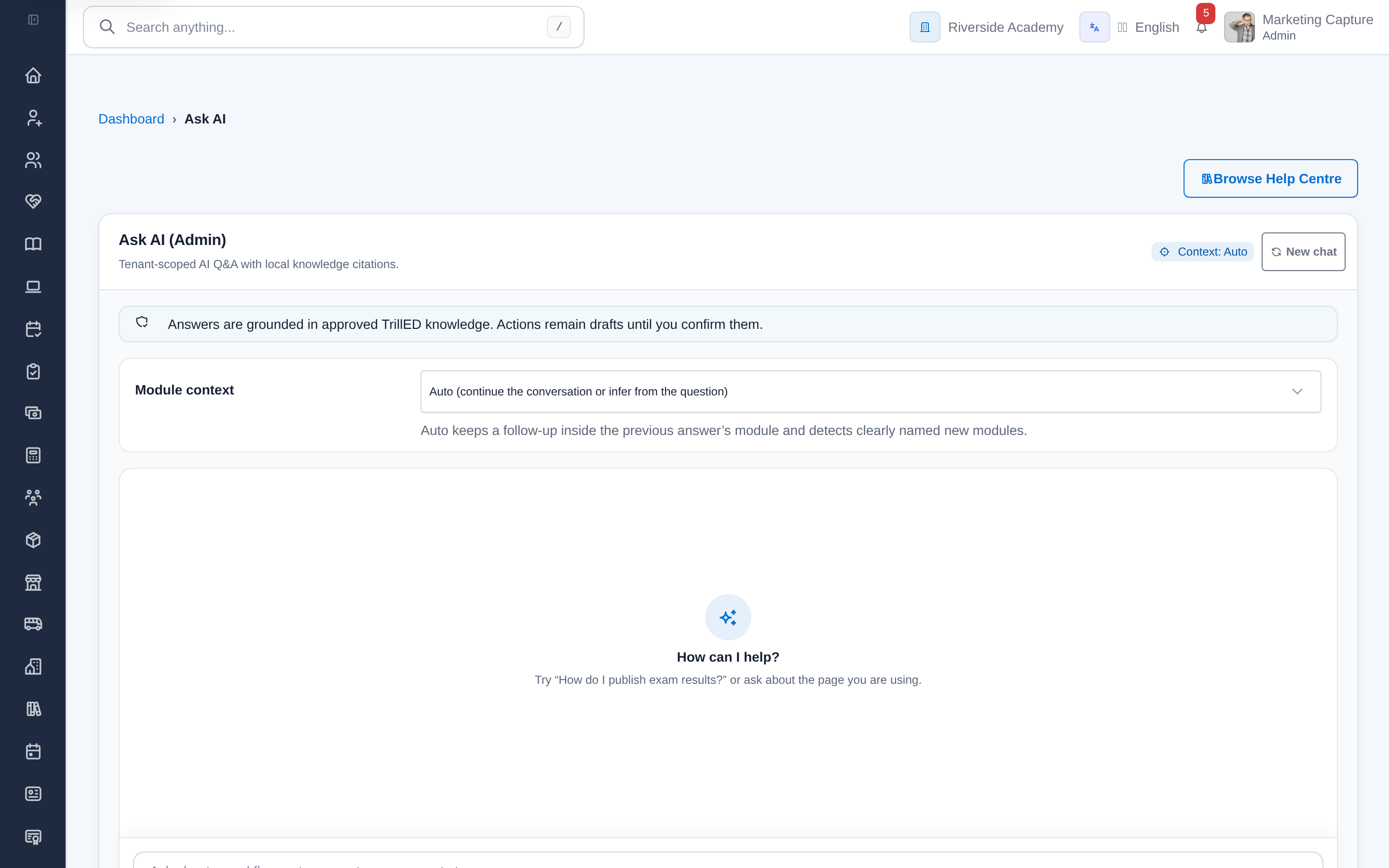
Generic AI cannot help much if it does not understand the school system.
Generic chatbots can answer general questions, but they do not understand how a specific school instance is configured, which modules are enabled, or what each user is allowed to do.
The old way usually creates more work for the same result because the people, records, and approvals are not moving through one trusted workflow.
- Generic chatbots do not understand the school instance.
- Staff still need to search for workflow guidance manually.
- Users ask support teams the same operational questions.
- AI needs permissions and policy boundaries to be useful in schools.
AI only creates value when it reduces support friction inside real school workflows.
The problem is not only extra admin work. It shows up as slower decisions, parent frustration, missed follow-up, weaker reporting, and more time spent asking for updates.
Support teams keep answering repeated operational questions when staff cannot get contextual guidance.
New users take longer to become productive when help is separated from the workflow.
Generic AI creates risk if it is not shaped by roles, permissions, and school context.
A school-aware AI copilot built around roles, context, and supported workflows.
TrillED uses AI as a school-aware copilot, not a replacement for teachers or staff. Ask AI can support administrators, teachers, guardians, and students with answers grounded in the system they are actually using.
Instead of asking staff to stitch together spreadsheets, chat threads, and separate tools, TrillED gives the workflow a clear path and keeps the institutional record connected.
- Less support friction because users can ask for help inside the system
- Faster onboarding for staff learning real TrillED workflows
- AI support that remains controlled by school policy, permissions, and staff review
Support users with role-aware guidance across enabled TrillED workflows, with school context and policy boundaries.
The capabilities behind the operational change.
These product areas support the outcome, but the value comes from how the workflow, records, permissions, and reporting stay connected.
Instance-aware Ask AI that can explain the current TrillED environment and available workflows
Role-aware guidance shaped by the user type, enabled modules, permissions, and school context
Safe read tools and draft-only actions with policy checks and confirmation flow
AI content helpers for Website Builder and LMS workflows where configured
Better ai copilot. Better visibility. Better control.
Users can ask for guidance inside the system they are already using.
Staff can get role-aware explanations for supported TrillED workflows.
AI help remains shaped by school context, permissions, and confirmation points.
This solution works best as part of the institution operating system.
The value is not only the feature set. It is the way each workflow connects to records, permissions, communication, reporting, and the rest of daily school operations.
Connected product areas
TrillED works best when school operations are connected.
See how this fits your school.
Start with the live product on your own, or book a guided session to map your current workflow and confirm the right package.
Built from more than three years of daily school operations across academics, attendance, finance, communication, and administration.